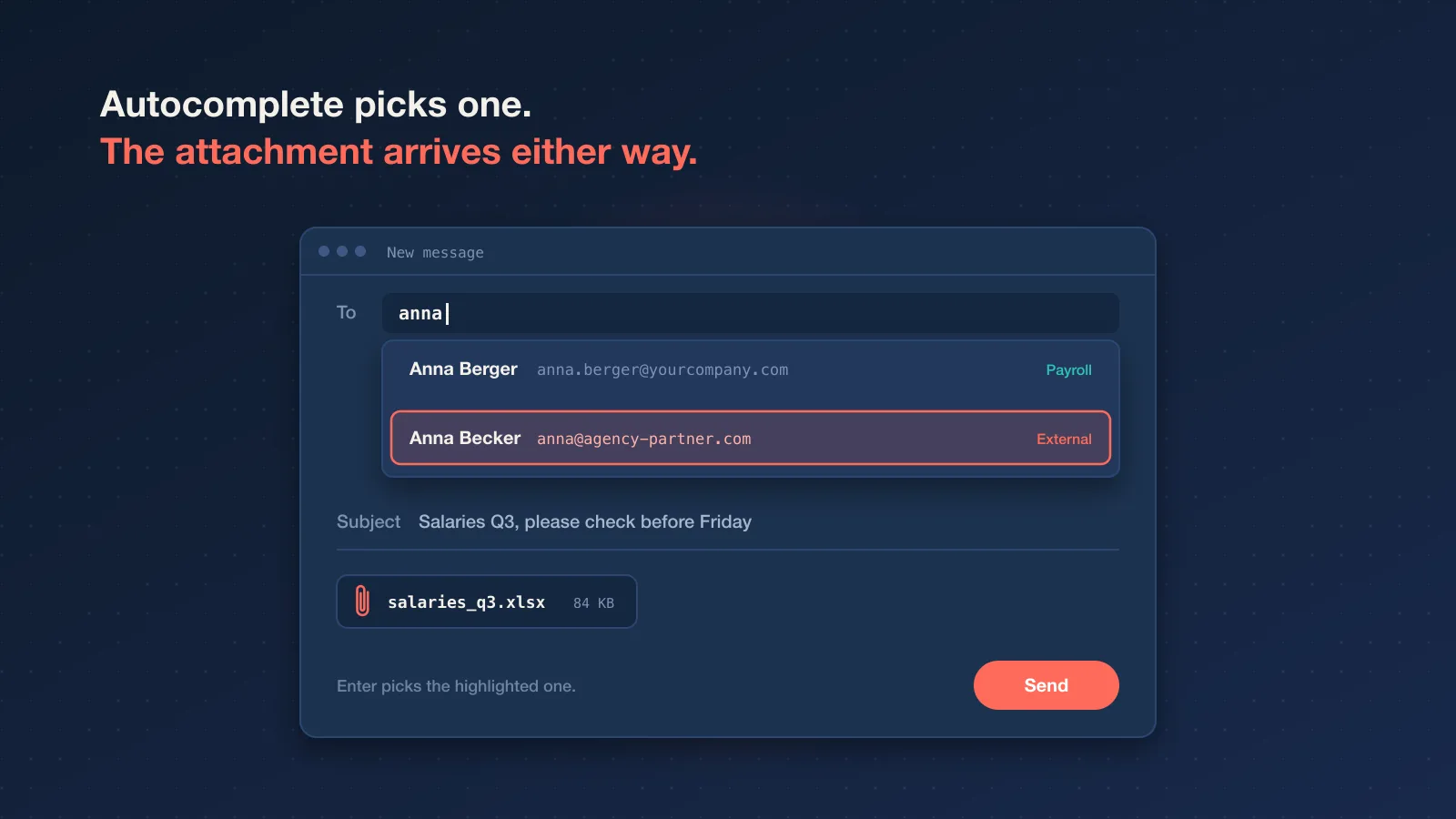
You type "Anna" into the To field. Your mail client offers two of them: Anna in payroll, and an Anna from an agency you worked with last year. You press Enter, attach the salary spreadsheet, and hit send. A second later you notice the domain.
Most people who handle documents for a living have a story like this, or know someone who does. It's also one of the most common ways personal data leaks. The UK regulator's data security incident trends put "data emailed to incorrect recipient" among the top non-cyber causes year after year. No hacker involved. Just autocomplete and a busy afternoon.
That's one risk of email attachments. There are a few more, and they point in both directions: what you send out, and what lands in your inbox.
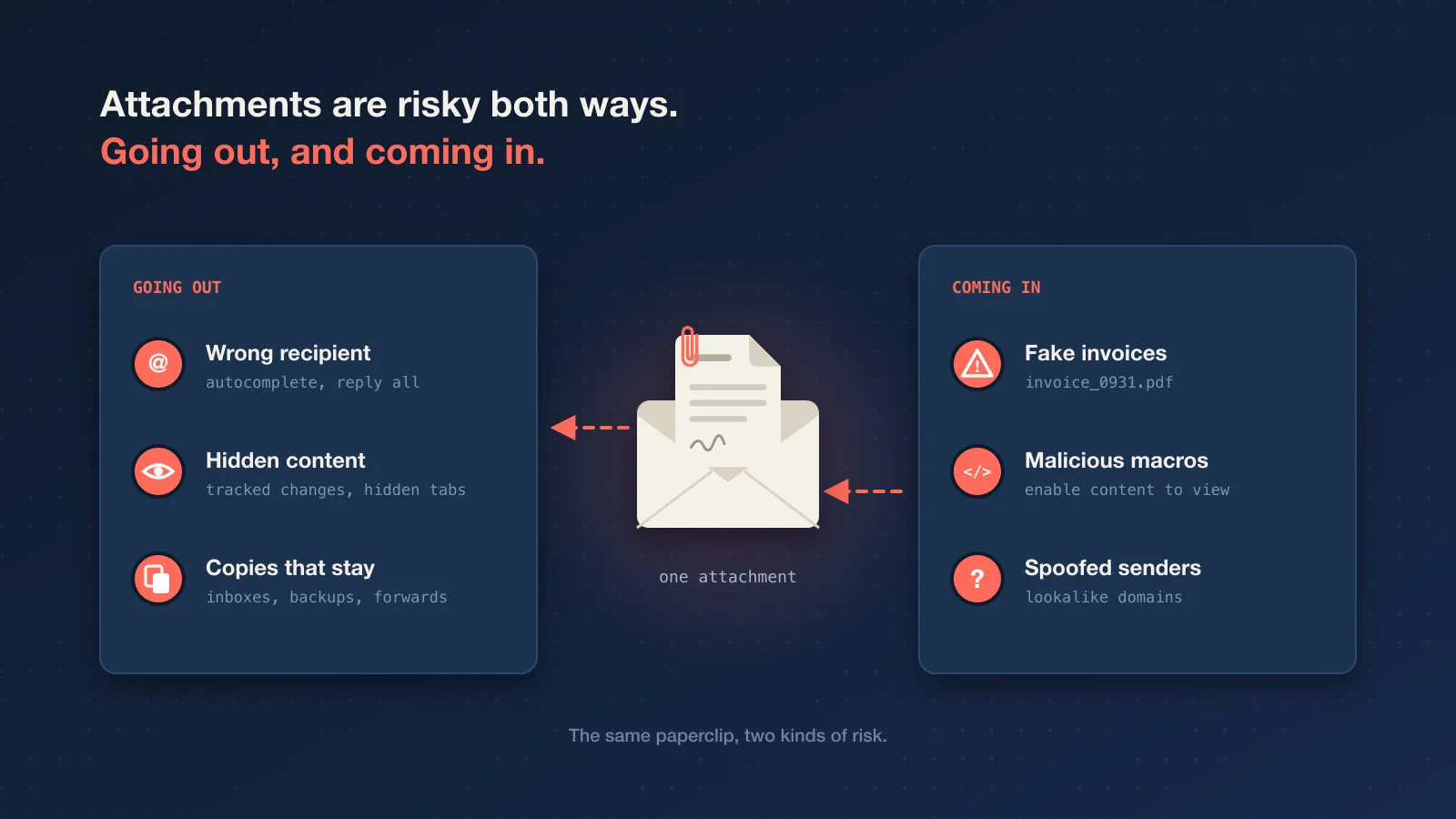
Risk one: the attachment goes to the wrong person
Email makes it very easy to send something to the wrong address, and impossible to take it back. The usual ways it happens:
- Autocomplete picks the wrong contact with the same first name.
- Reply all on a thread that includes an external party.
- Forwarding a long thread, and with it an attachment from twenty messages ago that the new reader was never meant to see.
- A typo in the domain, so the message goes to a lookalike domain someone registered on purpose.
With an attachment, the document arrives the moment you press send. "Undo send" in Gmail or a delay rule in Outlook gives you a few seconds, which helps if you notice straight away. After that, the file is in someone else's mailbox and the only option left is asking them nicely to delete it.
Risk two: the file contains more than you think
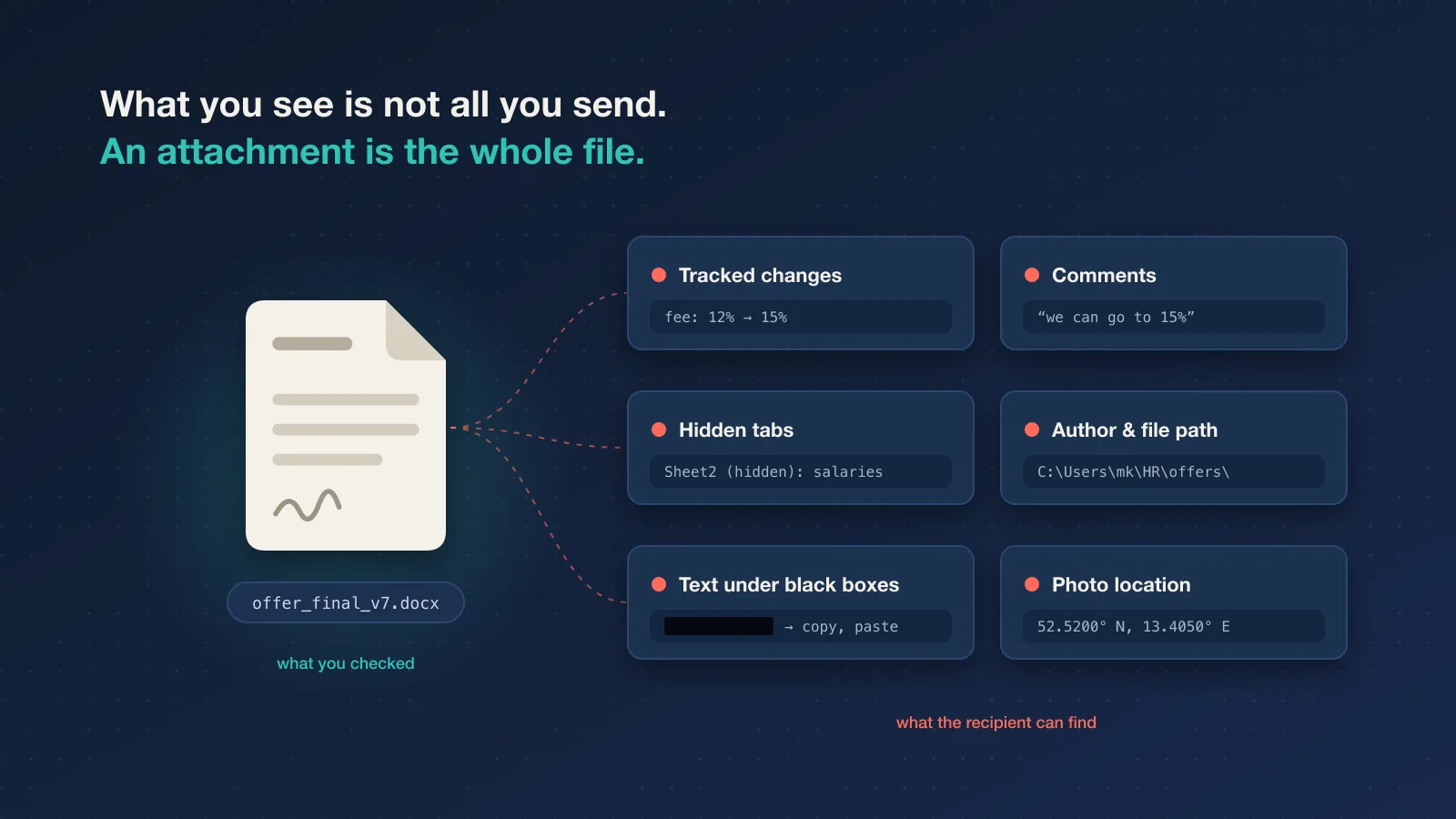
An attachment is the whole file, not just the part you looked at before sending. Office documents and PDFs regularly carry things the sender has forgotten about:
- Tracked changes and comments, including the negotiation notes ("we can go to 15% if they push").
- Hidden sheets, rows and columns in a spreadsheet. The summary tab looks clean; the hidden tab has every employee's salary.
- Metadata such as the author's name, the company, the original file path, and edit history.
- Fake redaction. A black rectangle drawn over text in a PDF hides it on screen, but the text is often still there to copy and paste. Badly redacted court filings make the news regularly for exactly this reason.
- Location data in photos. A picture of a damaged delivery, taken on a phone, can include the GPS coordinates of where it was taken.
None of this is email's fault exactly, but email is where it usually escapes, because attachments get sent in a hurry and nobody inspects them on the way out.
What helps: run Word's or Excel's "Inspect Document" before sending anything external, accept or reject all tracked changes, delete hidden sheets rather than hiding them, and redact PDFs with a real redaction tool that removes the text. When in doubt, export a fresh PDF of only what the recipient needs.
Risk three: attachments are how most malware arrives
Turn it around. For attackers, the attachment is still the classic way in: a fake invoice as a PDF, a "scanned document" with macros, a ZIP that contains a script, an HTML file that opens a fake login page. Mail providers block a lot of this, so attackers keep changing the packaging.
This shapes how people should treat attachments they receive, and it also affects the ones you send:
- Your legitimate attachments look like the attacks. "Please find the invoice attached" is also the opening line of a thousand phishing emails. Security-aware recipients may hesitate, and security filters may quarantine your file.
- Password-protected ZIPs are especially suspicious. Mail filters can't look inside an encrypted archive, so many organisations quarantine or strip them by default. The workaround people use to make attachments safer is one that security teams often treat as a red flag.
- Every sensitive attachment you send trains people to open attachments. If clients are used to receiving payslips and contracts as files from you, a well-made fake from "you" works better too.
For incoming mail, the advice hasn't changed much: be suspicious of attachments you weren't expecting, check the sender's actual address, and confirm unusual requests (especially changed bank details) through a different channel.
Risk four: every attachment becomes a permanent copy
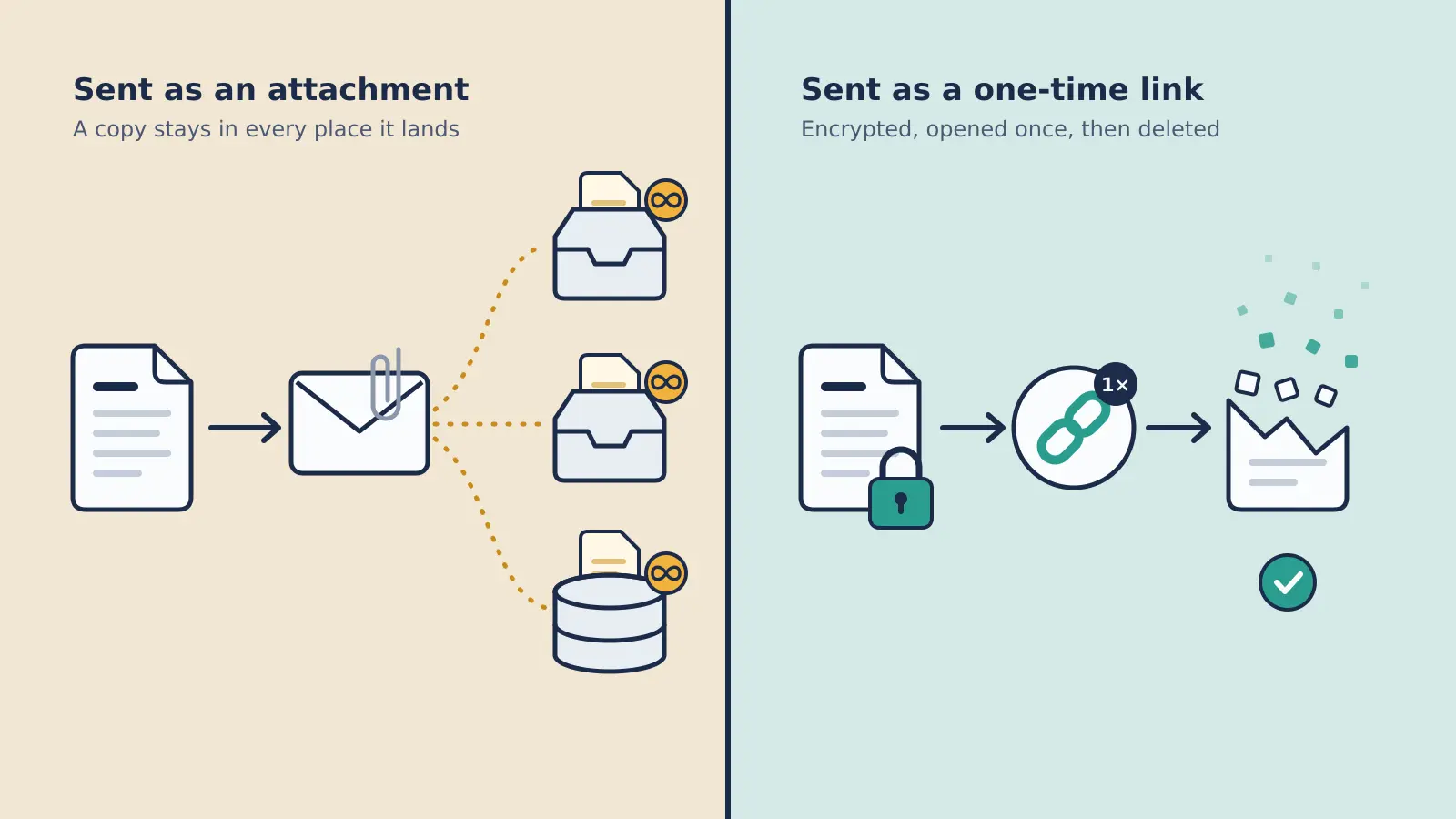
An attached file is copied into your sent folder, the recipient's inbox, both organisations' backups, any archive, and every forward. Each copy lasts as long as someone keeps the mailbox, which is often years. When a mailbox is compromised later, searching it for "contract", "passport" or "IBAN" is one of the first things an attacker does.
We've written about this in more detail in why email is the wrong place for confidential documents, including why TLS and encrypted ZIPs don't really solve it.
Risk five: size limits push people to worse options
Most mail providers cap messages at around 20 to 25 MB, and attachments grow by about a third when they're encoded for email, so the real limit for a file is lower than it looks. When a file doesn't fit, people improvise: a personal WeTransfer account, a cloud drive folder set to "anyone with the link", a USB stick in the post. None of these are bad tools, but chosen in a hurry they create links that never expire and copies nobody tracks.
So are email attachments safe?
For most things, yes, safe enough. Meeting notes, a presentation for a client, a brochure, a menu for the team lunch: attach away. Email is reliable, universal and everyone knows how to use it.
The risks above matter when the file contains:
- personal data (payslips, ID scans, CVs, medical notes, customer exports)
- credentials, keys or anything that grants access
- financial details such as bank account numbers
- anything under NDA or legally privileged
For those, the better pattern is to keep the file out of the email and send a link instead.
What to send instead of an attachment
A good link for sensitive files does three things an attachment can't:
- It's encrypted before it leaves your device, so neither the service in between nor any mailbox the link passes through holds a readable copy.
- It works once. The first person to open it gets the file. After that, the link returns an error.
- It expires. If nobody opens it, the file is deleted at a deadline you choose.
That's the idea behind a secure file transfer with Konfidant. You drop the file in your browser, it's encrypted with AES-256-GCM, and you get a link with the decryption key after the #, a part of the URL browsers never send to a server. The recipient needs no account and no software: they click "Open & decrypt", the file is decrypted in their browser, and the encrypted copy on Konfidant is deleted. For short text like a password or an IBAN, a one time secret does the same job without a file at all.
Here's how that maps to the risks:
| Risk | Email attachment | One-time encrypted link |
|---|---|---|
| Wrong recipient | They have the file, for as long as they keep the email | They have a link. If they open it, they get the file; if they don't, it expires and the file is deleted |
| Hidden content in the file | Sent along | Also sent along. Inspect the file first either way |
| Looks like malware | Often | A link to a page that asks before downloading anything |
| Copies in mailboxes and backups | One per mailbox, for years | A link that stops working |
| Size limits | Around 20 to 25 MB | Up to 200 MB per file, depending on plan |
Two honest notes on that table. A link doesn't make a wrong address harmless: if the wrong person opens it, they get the file, and there's no taking that back. What it changes is everything around that moment. Plenty of misdirected emails are never acted on, and an unopened link simply expires, while an unopened attachment sits in a stranger's mailbox for years. And nothing, links included, stops a recipient from saving or forwarding a file they've legitimately opened.
A short checklist before sending anything sensitive
- Does this need to be an attachment? If it contains personal data, credentials or financial details, send a link.
- Check the address, then check it again. Especially the domain, and especially after autocomplete.
- Inspect the file. Tracked changes, comments, hidden sheets, metadata, real redaction.
- Send the link to the person directly, not to a shared inbox or a channel. A link works for whoever opens it first.
- Tell them what's coming. "You'll get a secure link from us, it works once and expires on Friday" stops it looking like phishing.
If you send these regularly, it's worth agreeing on one way to do it as a team. On Konfidant's paid plans, links come from your own domain (such as share.yourcompany.com), which recipients recognise, and audit logs show who on your team shared what. There are guides for how HR, finance and legal teams typically set this up, and a broader look at secure document sharing if you're deciding what to change first.
Questions people ask
Are PDF attachments safe to open?
Usually, but not always. PDFs can contain links, embedded files and scripts, and fake invoice PDFs are a common phishing tactic. Open them in an up-to-date reader or your browser's built-in viewer, and be wary of any PDF that asks you to log in or "enable" something.
Is a password-protected PDF or ZIP good enough for sensitive files?
It's better than nothing, but the encrypted file still sits in every mailbox it reaches, the password often travels in the same thread, and many mail filters quarantine encrypted archives because they can't scan them. A one-time link avoids all three.
Doesn't my email provider encrypt attachments?
Most mail is encrypted in transit between servers using TLS. Once delivered, the attachment is stored where the mail providers can read it, for as long as the mailbox exists. Provider features like Outlook's "Encrypt" or Gmail's confidential mode help in some cases, but usually work best when both sides use the same provider.
What if I've already emailed something sensitive?
If it was a password or key, rotate it; that's the only real fix. For documents, you can't recall them from an external mailbox, but you can stop adding to the pile. Searching your sent folder for "attached", "passport", "IBAN" and "password" is a sobering ten minutes.
Can I still use email to send the link?
Yes. Email is fine for delivering a one-time link to the right person. The link stops working after it's opened, so the email that carried it is harmless afterwards.
You can try a secure file share free. It takes about a minute, and the recipient only needs a browser. If you're curious why files that delete themselves make sense in the first place, read the case for files that expire.
This article provides general information, not legal advice. It describes Konfidant's features without guaranteeing them; what we provide is set out in our Terms of Service and Data Processing Agreement. Assess whether a tool meets your legal and regulatory requirements before sharing regulated data.
Enjoyed this article?
Get new articles on secrets management and secure sharing in your inbox. No spam, unsubscribe anytime.
We'll email you a link to confirm. Protected by Cloudflare Turnstile. See our Privacy Policy.
Ready to secure your team's secrets?
Stop leaving credentials in Slack. Start using burn-after-reading encryption.
Get started free