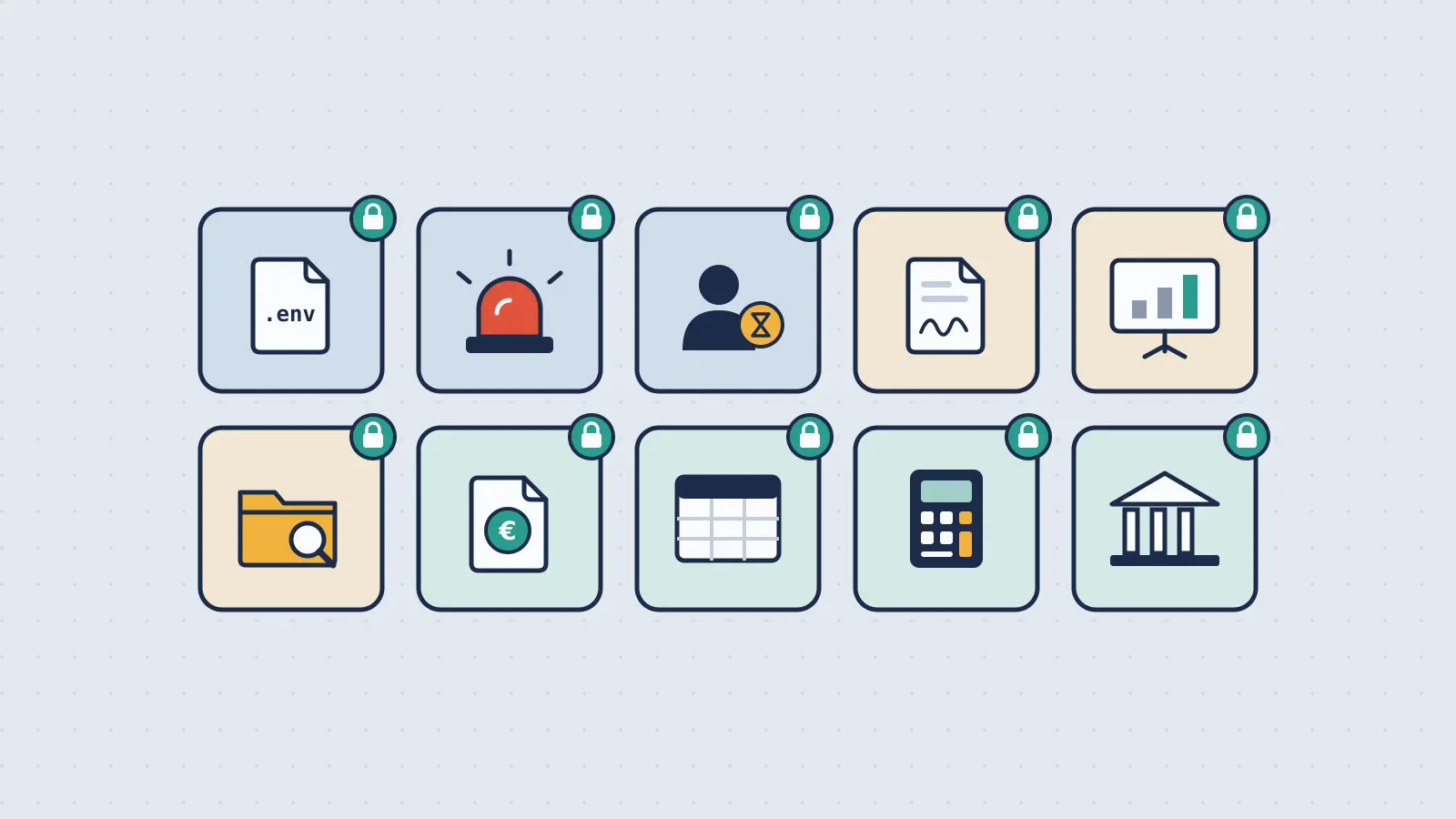
10 Use Cases for Ephemeral File Sharing
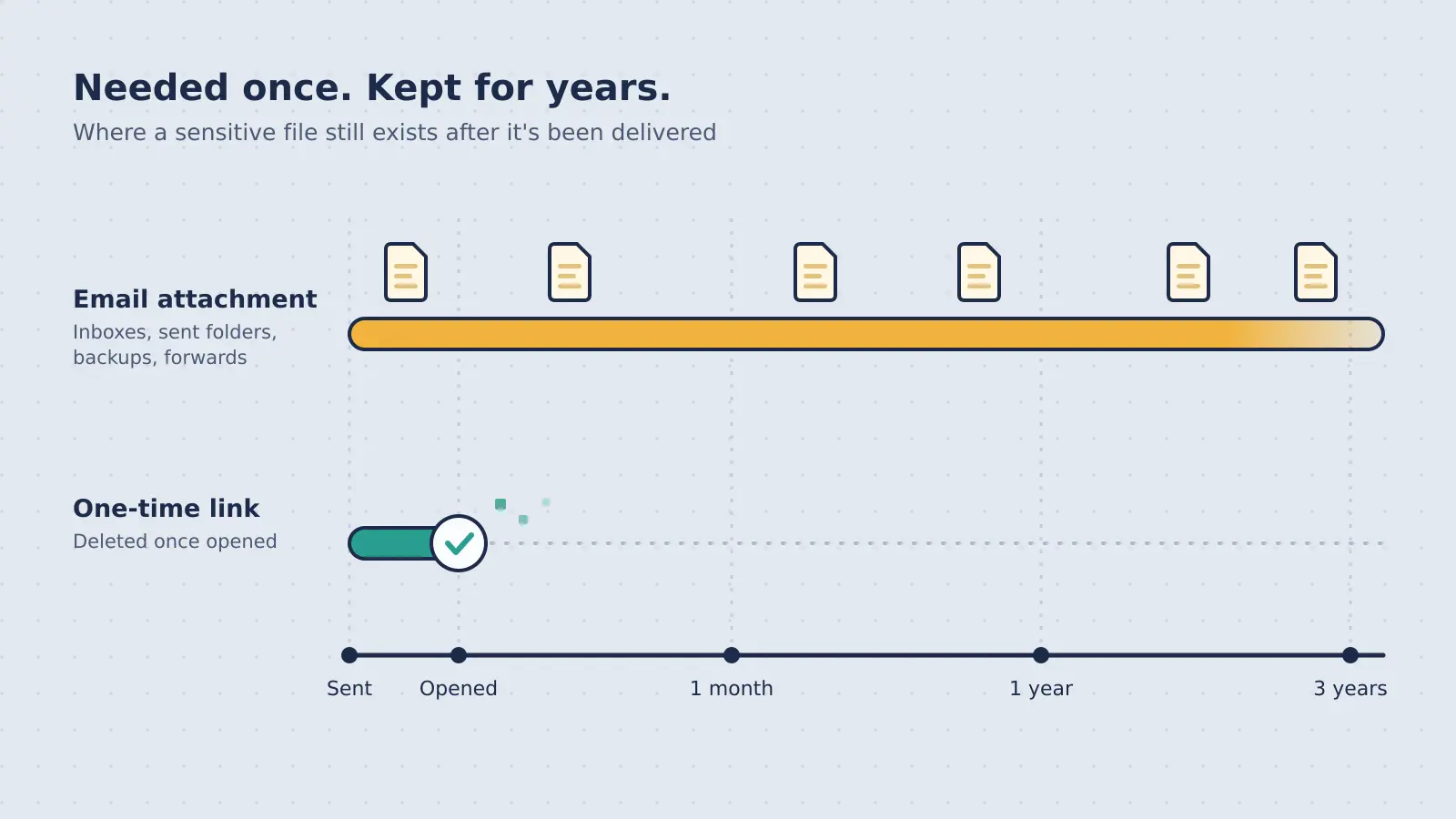
Traditional file sharing treats persistence as a feature. Upload a file, get a link, and that file stays on the server indefinitely — until you remember to delete it (which you won't).
But for sensitive data, persistence is a liability.
Every day a confidential file sits on a server is another day it could be breached, leaked, or accessed by the wrong person. Ephemeral file sharing flips the default: files exist only as long as necessary, then self-destruct.
This guide covers 10 real-world scenarios where ephemeral file sharing is not just better than traditional cloud storage — it's the only secure approach.
1. Sharing API Keys and Secrets with Your Team
The Problem
Developers need to share credentials constantly:
- Database passwords for new team members
- API keys for third-party services
- SSH keys for server access
.envfiles with secrets
How most teams do it (insecurely):
- Slack DMs ("here's the prod database password")
- Email ("attached is the AWS key")
- Shared Google Docs ("API credentials — DO NOT SHARE")
All of these leave credentials permanently accessible:
- Slack history is searchable forever
- Email lives in inboxes and backups
- Google Docs can be accessed by anyone with the link
If your Slack account is compromised next month, that database password from last year is still sitting there.
The Ephemeral Sharing Solution
Use ephemeral sharing for credentials:
- Paste the API key or password
- Generate a single-use link
- Send the link via Slack/email
- Recipient downloads it once
- The credential is immediately deleted from the server
Benefits:
- Zero persistence: Credential exists on the server for minutes, not months
- No forwarding: Single-use links die after access
- Audit trail: Track when credentials were accessed (for compliance)
Example workflow:
DevOps uploads .env file with 24-hour expiration + burn-on-read
→ New developer gets the link, downloads it once
→ File self-destructs
→ Even if the link is leaked later, it's already dead
Konfidant feature: Zero-knowledge encryption ensures even Konfidant cannot read your API keys.
When to Use It
- Onboarding new developers (share staging/prod credentials)
- Rotating secrets (send new API key after revocation)
- Emergency access (share root password for incident response)
2. Sending Contracts and Legal Documents
The Problem
Law firms, startups, and enterprises send confidential contracts daily:
- NDAs before investor meetings
- M&A term sheets
- Employment agreements with salary details
- Settlement agreements
Traditional sharing risks:
- Dropbox link is forwardable (recipient shares it with others)
- Google Drive files are searchable (indexed, discoverable)
- Email attachments live forever (in sent folders, backups, recipient inboxes)
If a contract is leaked before signing, deals collapse. If salary details are exposed, privacy violations occur.
The Ephemeral Sharing Solution
Use ephemeral sharing for contracts:
- Upload the signed PDF
- Set 7-day expiration (or time-to-signing deadline)
- Optionally add passphrase protection (send password separately)
- Share the link
- After the recipient downloads it, the file is deleted
Benefits:
- Time-limited exposure: Contract is accessible only during negotiation
- No link reuse: After expiration, the link is dead (even if forwarded)
- Proof of delivery: Audit logs show when the document was accessed
Example workflow:
Startup sends term sheet to investor with 48-hour expiration
→ Investor reviews and signs within deadline
→ File auto-deletes after 48 hours
→ Even if the investor's email is breached next month, the term sheet is gone
Konfidant feature: Verified burn-on-read with audit logs — prove when the document was delivered and deleted.
When to Use It
- Sending NDAs before partnerships
- Sharing term sheets during fundraising
- Delivering signed contracts with sensitive clauses
- Distributing employment offers with salary details
3. Healthcare: Sharing Patient Records (PHI)
The Problem
Healthcare providers must share Protected Health Information (PHI) under strict regulations:
- Lab results to patients
- Medical imaging to specialists
- Referral documents to other providers
HIPAA requirements:
Covered entities must implement technical safeguards to protect electronic PHI, including encryption and access controls. Data should be retained only as long as necessary.
Traditional sharing fails HIPAA:
- Email attachments are not encrypted end-to-end
- Dropbox links persist indefinitely (violates data minimization)
- Shared drives create excessive access (too many people can view)
The Ephemeral Sharing Solution
Use ephemeral sharing for PHI:
- Upload patient record (encrypted client-side)
- Set 24-hour expiration
- Add SMS verification (patient must enter code to access)
- Share the link via patient portal or email
- After download, the record is deleted
Benefits:
- HIPAA-compliant encryption: Client-side E2EE protects data in transit and at rest
- Access controls: SMS/passphrase ensures only the intended recipient can download
- Automatic deletion: Files don't linger beyond medical necessity
- Audit logs: Prove compliance during inspections
Example workflow:
Doctor sends MRI scan to specialist with 48-hour expiration + SMS verification
→ Specialist receives link, enters SMS code, downloads scan
→ File self-destructs after 48 hours
→ Audit log proves delivery and deletion for compliance
Konfidant feature: Zero-knowledge architecture means even Konfidant cannot access PHI.
When to Use It
- Sharing lab results with patients
- Sending medical imaging to specialists
- Delivering discharge summaries
- Distributing telehealth session recordings
4. HR: Distributing W-2s and Payroll Documents
The Problem
HR departments send sensitive employee documents:
- W-2 tax forms (SSNs, salary)
- Pay stubs (bank account details)
- Performance reviews
- Termination agreements
Risks of persistent sharing:
- Email attachments are stored in employee inboxes (often unsecured personal email)
- Dropbox links are forwardable (employee shares with spouse, accountant, etc.)
- Google Drive files are searchable (HR accidentally makes W-2 folder public)
A leaked W-2 exposes SSN, salary, and address — prime identity theft material.
The Ephemeral Sharing Solution
Use ephemeral sharing for payroll documents:
- Upload W-2 PDF (one per employee)
- Set 30-day expiration (time to download before tax deadline)
- Add passphrase protection (employee-specific password)
- Share link via company email
- After download, the file is deleted
Benefits:
- PII minimization: W-2s exist on server for days, not years
- Single-use access: Employee downloads once, link dies
- No forwarding: Passphrase prevents sharing with unauthorized parties
- Compliance: GDPR/CCPA require minimizing retention of personal data
Example workflow:
HR uploads W-2 for Employee X with 14-day expiration + passphrase
→ Employee receives link + password via separate email
→ Employee downloads W-2 once
→ Link expires, file is deleted
→ If HR server is breached next year, W-2s are gone
Konfidant feature: Burn-on-read ensures W-2s are deleted immediately after download.
When to Use It
- Distributing annual W-2s
- Sending monthly pay stubs
- Sharing performance reviews
- Delivering termination agreements
5. GDPR Compliance: Minimizing Data Retention
The Problem
The EU's General Data Protection Regulation (GDPR) requires data minimization:
Personal data shall be kept in a form which permits identification of data subjects for no longer than is necessary for the purposes for which the personal data are processed. (Article 5(1)(e))
Traditional file sharing violates GDPR:
- Files are stored indefinitely until manually deleted
- Companies forget to purge old data (violates minimization)
- Regulators can fine up to 4% of global revenue for non-compliance
If you share a contract with personal data (email, address) and it sits on Dropbox for years, you're violating GDPR.
The Ephemeral Sharing Solution
Use ephemeral sharing to enforce data minimization:
- Upload file with personal data
- Set automatic expiration based on business need (e.g., 30 days for contracts)
- File is auto-deleted after expiration
- No manual retention policy needed — deletion is automatic
Benefits:
- Automatic compliance: Files are purged on schedule
- Reduced audit scope: Less historical data to review
- Lower liability: Deleted data can't be breached or subpoenaed
Example workflow:
EU-based company shares employee contract (contains name, address, salary)
→ Set 60-day expiration (time to sign and file)
→ After 60 days, contract is auto-deleted
→ GDPR minimization requirement satisfied by default
Konfidant feature: Zero-knowledge E2EE means even Konfidant cannot access personal data (reduces data processor liability).
When to Use It
- Sharing contracts with EU residents
- Distributing employee data (HR documents)
- Sending customer PII (invoices, agreements)
- Any file containing GDPR-protected personal data
6. Financial Services: Secure Document Delivery
The Problem
Banks, accounting firms, and fintech companies send sensitive financial documents:
- Bank statements
- Tax returns (prepared by accountants)
- Loan applications with SSN, income, assets
- Brokerage account statements
Regulatory requirements:
- SOC 2: Secure data handling and retention policies
- PCI DSS: Protect cardholder data (if credit card info included)
- GLBA (Gramm-Leach-Bliley Act): Safeguard customer financial information
Risks of traditional sharing:
- Email is not encrypted end-to-end (violates GLBA)
- Dropbox links are permanent (violates data minimization)
- Shared drives are overly accessible (access control gaps)
The Ephemeral Sharing Solution
Use ephemeral sharing for financial documents:
- Upload bank statement or tax return
- Set 7-day expiration
- Add passphrase (client-specific password)
- Share link via encrypted email
- After download, file is deleted
Benefits:
- SOC 2 compliant: Automatic deletion satisfies retention policies
- Access control: Passphrase ensures only intended client can access
- Audit trail: Prove secure delivery for compliance audits
Example workflow:
Accountant prepares tax return (contains SSN, income, assets)
→ Upload to Konfidant with 14-day expiration + passphrase
→ Client receives link and password (via separate channels)
→ Client downloads return once
→ File self-destructs after download
→ No copies on server, no risk of breach
Konfidant feature: Client-side encryption ensures tax data is never readable by the server.
When to Use It
- Sending tax returns to clients
- Distributing bank statements
- Sharing loan documents
- Delivering brokerage account statements
7. Security Researchers: Sharing Vulnerability Reports
The Problem
Security researchers discover vulnerabilities and need to share:
- Proof-of-concept (PoC) exploits
- Vulnerability details (before patch is released)
- Breach data samples (for responsible disclosure)
Risks:
- Public disclosure before patch = zero-day weaponization
- Email attachments can be intercepted (PoC leaks to attackers)
- Dropbox links are forwardable (PoC spreads uncontrollably)
If a PoC exploit leaks before the vendor patches, attackers can use it to compromise systems.
The Ephemeral Sharing Solution
Use ephemeral sharing for vulnerability reports:
- Upload PoC exploit or vulnerability details
- Set single-use access (burn-on-read)
- Add passphrase (shared separately via Signal/encrypted channel)
- Send link to vendor security team
- After download, PoC is deleted
Benefits:
- No persistence: PoC exists on server for minutes, not days
- Single-use: Vendor downloads once, link dies (can't be forwarded)
- Responsible disclosure: Minimizes risk of PoC leaking
Example workflow:
Researcher finds RCE vulnerability in open-source library
→ Writes PoC exploit, uploads with burn-on-read
→ Sends link to vendor + passphrase via Signal
→ Vendor downloads PoC, reproduces bug, develops patch
→ PoC self-destructs after download
→ Even if link is leaked, PoC is already gone
Konfidant feature: Zero-knowledge encryption ensures PoC is unreadable by Konfidant (mitigates risk of server compromise).
When to Use It
- Sharing vulnerability PoCs with vendors
- Sending breach data samples (responsible disclosure)
- Distributing security research drafts before publication
8. Temporary Contractor Access to Internal Docs
The Problem
Companies hire freelancers and contractors who need temporary access to internal resources:
- Design files (Figma exports, PSDs)
- API documentation (internal specs)
- Credentials (staging environment access)
- Product roadmaps (pre-launch)
Risks of persistent sharing:
- Contractor's Dropbox account is compromised (files leak)
- Contractor quits but still has access to shared drive
- Files are forwarded to competitor (contractor reuses materials)
Traditional file sharing has no expiration — contractors retain access indefinitely.
The Ephemeral Sharing Solution
Use ephemeral sharing for contractor access:
- Upload internal documents
- Set expiration = project duration (e.g., 14 days for a 2-week contract)
- Share link with contractor
- After expiration, files auto-delete
Benefits:
- Time-limited access: Contractor can only access files during project
- No cleanup needed: Files auto-delete when contract ends
- No forwarding risk: Expired links are dead
Example workflow:
Startup hires freelance designer for 10-day logo project
→ Shares brand guidelines with 10-day expiration
→ Designer completes project, downloads files
→ After 10 days, guidelines auto-delete
→ Designer can no longer access internal materials
Konfidant feature: Burn-on-read ensures contractors can download files once (prevents hoarding).
When to Use It
- Sharing internal docs with freelancers
- Distributing credentials to contractors
- Providing temporary access to pre-launch materials
9. Journalism: Protecting Confidential Sources
The Problem
Journalists receive sensitive documents from whistleblowers:
- Leaked internal memos
- Government documents (classified or confidential)
- Corporate misconduct evidence
Risks:
- Source identity can be traced via upload metadata (IP, timestamp)
- Documents stored indefinitely on servers (subject to subpoena)
- Persistent links create discoverable evidence (legal requests)
If a journalist's server is subpoenaed, stored documents can be seized — putting sources at risk.
The Ephemeral Sharing Solution
Use ephemeral sharing for source protection:
- Source uploads document with burn-on-read
- Journalist receives link, downloads once
- Document is immediately deleted from server
- No server logs, no metadata, no evidence
Benefits:
- Source anonymity: Document is deleted before subpoena arrives
- No discoverable evidence: If the file is gone, it can't be seized
- Minimal metadata: Konfidant doesn't log IPs or user data (for non-verified-burn shares)
Example workflow:
Whistleblower uploads leaked memo with burn-on-read + Tor access
→ Journalist receives link via encrypted email
→ Journalist downloads memo once
→ Memo self-destructs immediately
→ Server breach or subpoena finds nothing
Konfidant feature: Zero-knowledge encryption means even Konfidant cannot read leaked documents.
When to Use It
- Receiving documents from whistleblowers
- Sharing drafts with editors (pre-publication)
- Distributing source materials to legal counsel
10. DevOps: Sharing Config Files and Secrets
The Problem
DevOps teams share configuration files constantly:
.envfiles with API keyskubeconfigfiles with cluster credentials- SSL certificates (private keys)
- Database connection strings
Risks of traditional sharing:
- Config files are committed to Git (accidental push to public repo)
- Dropbox links are permanent (old
.envfile sits on server for months) - Slack DMs are searchable (credentials indexed in Slack history)
GitHub's "leaked secrets" scanner detects thousands of API keys in public repos daily — often from .env files shared carelessly.
The Ephemeral Sharing Solution
Use ephemeral sharing for config files:
- Upload
.envfile with 1-hour expiration - Set burn-on-read (single-use)
- Share link with developer
- Developer downloads config, uses it for deployment
- File self-destructs after access
Benefits:
- Zero persistence: Config exists on server for minutes, not months
- No Git leak risk: Link is used once and dies (can't be accidentally committed)
- Audit trail: Track when config was accessed (for incident response)
Example workflow:
DevOps uploads staging .env file with 2-hour expiration + burn-on-read
→ Developer receives link, downloads .env
→ Developer deploys to staging
→ .env self-destructs after download
→ No risk of .env leaking later
Konfidant feature: Client-side encryption ensures config secrets are never readable by the server.
When to Use It
- Sharing
.envfiles for deployments - Distributing SSL certificates
- Sending
kubeconfigfiles to teammates - Delivering database connection strings
When NOT to Use Ephemeral File Sharing
Ephemeral sharing is not for:
- Long-term collaboration: Use Google Drive, Notion, or shared drives
- Versioned documents: Files that need edit history
- Public content: Marketing materials, documentation
- Team file libraries: Shared resources meant for ongoing access
Rule of thumb: If more than one person needs repeated access, use traditional sharing. If it's one-time or time-sensitive, use ephemeral.
Frequently Asked Questions
Can recipients keep the file after download?
Yes. Ephemeral sharing controls server-side persistence, not recipient-side actions. The recipient can save the file locally, take screenshots, etc.
Ephemeral sharing prevents link reuse and server-side breaches, not local copies.
What if the recipient never downloads the file?
The file auto-deletes at expiration, even if never accessed. This prevents "forgot to download" scenarios from leaving data on the server indefinitely.
How do I know when the file was accessed?
Konfidant's verified burn mode provides audit logs:
- When the file was uploaded
- When it was accessed
- When it was deleted
For privacy-focused shares, audit logs are optional (disabled by default).
Can I extend the expiration after sending the link?
Depends on the service. Konfidant locks expiration at creation time (prevents accidental extension). If the recipient needs more time, create a new share.
The Bottom Line
Ephemeral file sharing flips the default from persistent by accident to ephemeral by design.
For sensitive data — credentials, contracts, PHI, financial documents — persistence is the risk. Every day a file sits on a server is another day it could be breached.
These 10 use cases show when ephemeral sharing is not just better than traditional cloud storage — it's the only secure option.
The pattern:
- Credentials: Burn-on-read (single-use access)
- Contracts: Time-limited (expiration = signing deadline)
- Compliance: Auto-delete (GDPR/HIPAA minimization)
- Contractor access: Project duration expiration
- Source protection: Burn-on-read + zero metadata
The best way to prevent data breaches is to delete the data. Ephemeral sharing makes that the default.
Ready to share files that self-destruct? Try Konfidant's ephemeral file sharing →
Ready to secure your team's secrets?
Stop leaving credentials in Slack. Start using burn-after-reading encryption.
Get started free