If you read breach reports for long enough, you notice that very few of them start with a brilliant hacker. They start with something ordinary. A password reused from another site. A mailbox that got phished. A storage bucket set to public by accident. And then, once the attacker is in, a long history of things people shared without thinking twice.
That last part is what this post is about. None of the habits below is reckless. They're all perfectly normal, which is the problem. Each one turns a moment of convenience into something that sits around for years waiting to be found, and each has a simple fix if you want to send files securely without slowing anyone down.
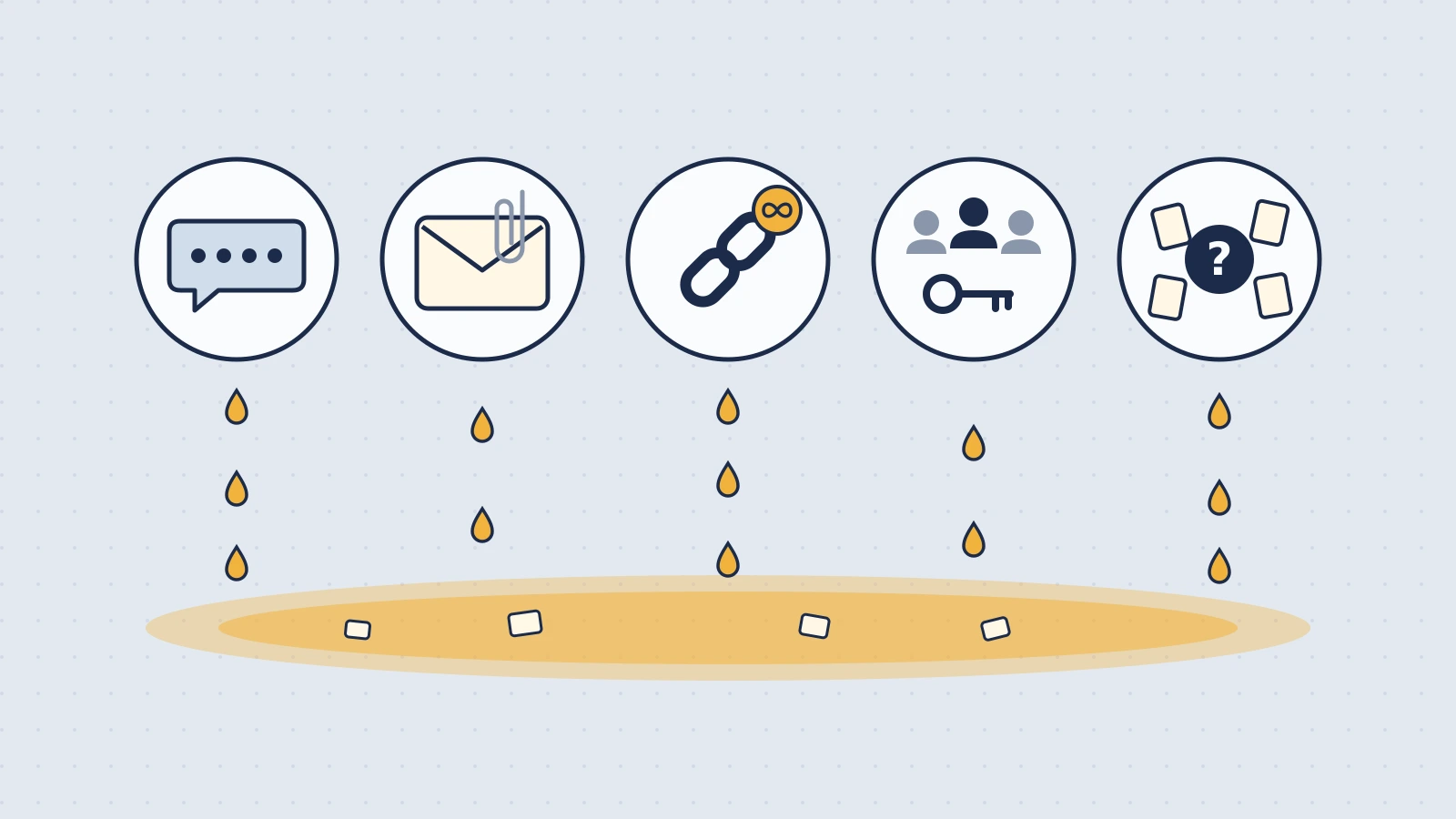
1. Pasting credentials into chat
The habit: someone needs the staging database password, so you paste it into a Slack or Teams DM. Maybe you even delete it afterwards.
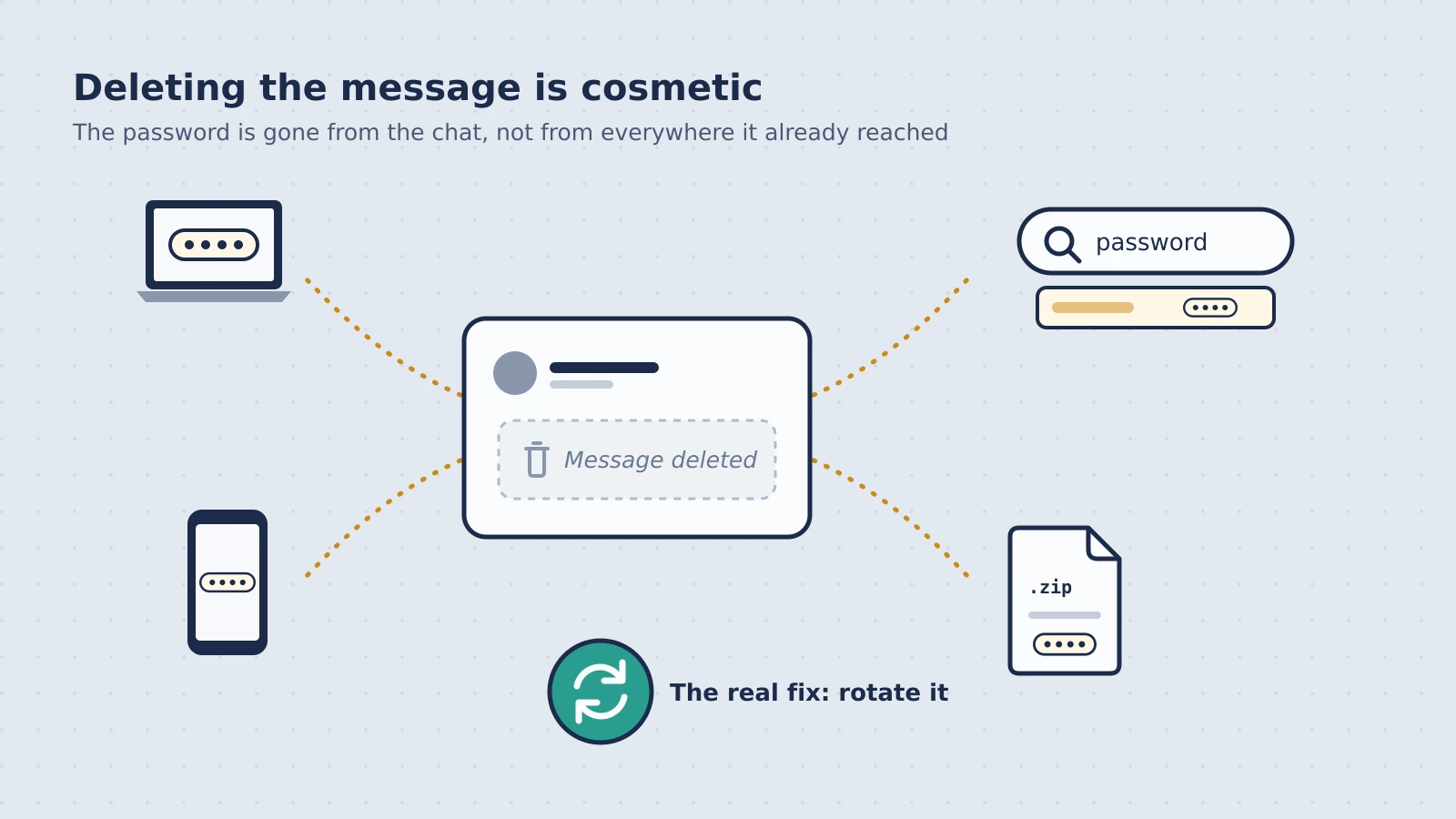
Why it matters: chat is built to remember. Unless your admin has set a retention policy, a paid Slack workspace keeps messages indefinitely. The password is now in search, on every device where either of you is logged in, in any workspace export, and readable by any integration with access to that conversation. Deleting the message removes it from view, not from the devices and exports that already have it.
And chat accounts are a juicy target precisely because of this. If an attacker gets into one, searching for "password", "key" or "token" takes seconds.
Instead: use a one-time secret link for anything that's needed once, and a password manager or secrets manager for anything shared regularly. If you've already pasted credentials in chat, rotate them. Rotation is what actually fixes it; deleting the message is cosmetic.
There's a longer guide for this one: how to share a password securely.
2. Emailing sensitive files as attachments
The habit: the offer letter, the signed NDA, the payroll export, the passport scan. Attach, send, done.
Why it matters: every email creates copies you don't control: your sent folder, their inbox, both organizations' backups, any archive system, and every forward. Email is encrypted in transit between most servers, but once it's delivered it's stored in a form the providers can read, for as long as anyone keeps it.
The password-protected ZIP is a common workaround, but the encrypted file still lives forever in every mailbox, and the password usually ends up in the same thread.
Instead: send a link rather than the file. A good one encrypts the file before it leaves your device, works once, and deletes the file from the service after delivery. You can still email the link; it's the attachment that's the problem. There's more on this in why email is the wrong place for confidential documents.
3. Creating links that never expire
The habit: you share a file from a cloud drive with "anyone with the link can view", send the link, and move on.
Why it matters: that link now works for anyone who has it, for as long as the file exists. It can be forwarded, pasted into the wrong channel, or dug up from an old thread. You'll rarely know who opened it after the first person. And because cleaning up shares is a manual job, most people's drives slowly fill up with live links to files that were only meant for a day or two.
Instead: match the tool to the job.
- For collaboration (a shared folder, a document several people edit), restrict access to named people and review shares now and then.
- For one-off delivery of something sensitive, use a link that works once and expires on its own. Then there's nothing to clean up.
If you're unsure which you need, ask whether the recipient will come back to the file. If not, it shouldn't be a link that lives forever. More on this in the case for files that expire.
4. Sharing the same credential with everyone, forever
The habit: a contractor needs access to the analytics account. Someone digs up the shared login from an old thread and sends it over. Next month, a new hire needs it too.
Why it matters: a credential known by many people, shared through many channels, over many months, is impossible to reason about. You can't tell who has it, and if it leaks, you can't tell how. Worse, rotating it would break things for everyone, so it never gets rotated.
Instead:
- Give people their own accounts wherever the tool allows it, even if it costs a seat. Individual accounts are the only clean way to remove someone later.
- Use temporary credentials where the platform supports them. On AWS, for example, temporary security credentials expire on their own.
- Scope access to the task. A contractor building a reporting integration doesn't need an admin key.
- When you do have to hand over a shared credential, use a one-time link, and plan to rotate it when the person leaves.
5. Not knowing where sensitive data went
The habit: personal data gets shared through whatever's convenient that day. Nobody keeps track, because nobody thinks they'll need to.
Why it matters: if you handle personal data in the EU, GDPR expects you to be able to show how you protect it (Article 5(2), the accountability principle) and to keep data no longer than necessary. If something goes wrong, the first questions are always "what was exposed, and where was it?" Data scattered across inboxes, chats and forgotten links makes both questions very hard to answer.
Instead:
- Decide which data is sensitive (personal data, credentials, financial details, anything under NDA) and agree on one way to share it.
- Prefer tools that delete what they don't need to keep. A copy that no longer exists can't be part of an incident.
- Keep a record of what was shared, by whom. On Konfidant's paid plans, audit logs record who on your team created each share; on Enterprise, verified burn records when each share was opened.
- Have a data processing agreement with any service that handles personal data for you. Konfidant's DPA is part of its Terms for every customer.
A bonus one: assuming "deleted" means gone
Clicking delete in most tools removes the item from view. Copies often survive for a while in backups, caches and replicas, and of course in whatever the recipient already downloaded. That's normal and usually fine, but it's worth knowing the real numbers for the tools you use.
For the record, here's how it works in Konfidant. Files are encrypted on your device before upload; the encrypted file is deleted from storage right after the recipient opens it, or at expiry. Short text secrets live in a secrets vault whose encrypted backups are kept for 7 days. In both cases, Konfidant never had the key, so even those backups are unreadable to Konfidant.
How to send files securely without a big project
You don't need a security programme to make progress. An hour this week covers most of it:
- Search your chat and sent mail for "password", "key", "token", "IBAN" and "attached". Rotate any live credentials you find.
- Review your cloud drive's shared links. Turn off anything that doesn't need to be public.
- Pick a tool for one-off sensitive shares and bookmark it. If it isn't faster than pasting into Slack, nobody will use it.
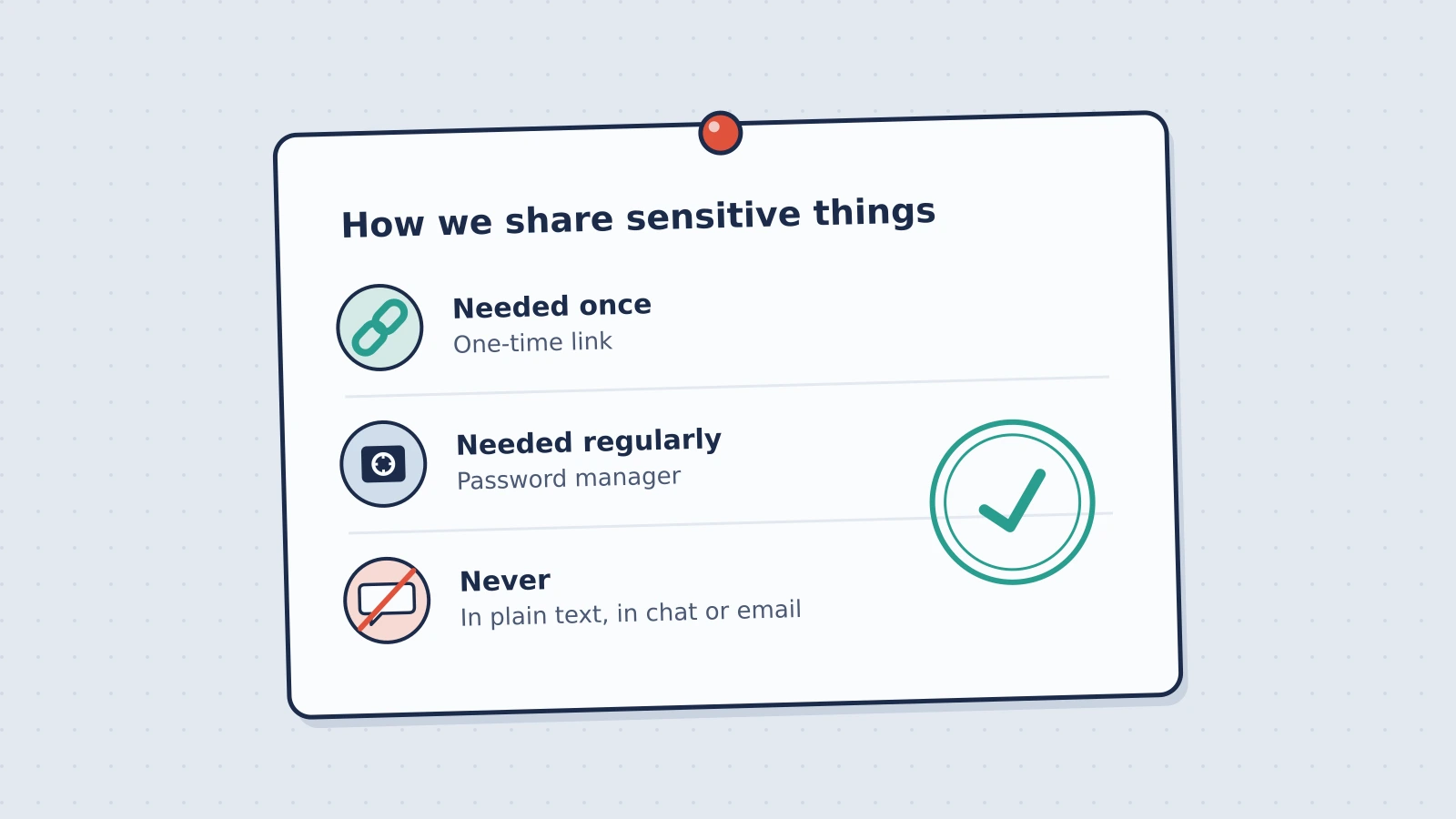
- Write down a three-line rule and pin it: "Needed once: one-time link. Needed regularly: password manager. Never in plain text."
None of this makes you breach-proof. It makes the next breach, wherever it starts, find a lot less.
Questions people ask
What's the easiest way to send files securely to someone outside my company?
Send a one-time encrypted link. The recipient doesn't need an account or any software, just a browser. With Konfidant, the file is encrypted before upload, the link works once, and the file is deleted after it's opened.
Is a password manager enough?
For credentials your team shares regularly, a password manager is the right tool. It's less useful for files, and for people outside your organization who don't use the same manager. Most teams end up with both.
Do I really need to rotate a credential after sharing it?
If it was shared in plain text, yes. If it was shared as a one-time link and the right person opened it, rotate when that person no longer needs access.
Konfidant's free plan is the quickest way to try a secure file share. It takes about a minute to send your first one.
This article provides general information, not legal advice. It describes Konfidant's features without guaranteeing them; what we provide is set out in our Terms of Service and Data Processing Agreement. Assess whether a tool meets your legal and regulatory requirements before sharing regulated data.
Enjoyed this article?
Get new articles on secrets management and secure sharing in your inbox. No spam, unsubscribe anytime.
We'll email you a link to confirm. Protected by Cloudflare Turnstile. See our Privacy Policy.
Ready to secure your team's secrets?
Stop leaving credentials in Slack. Start using burn-after-reading encryption.
Get started free